Plans, cards, invoices and connections - finally in one section.
Your Account, All In One Place

 Your Account, All In One Place
  Tokens. There's More To Them Than AI
  Check Your YAML Before It Checks You
Last Updated: August 2, 2026
If you have ever gone looking for an old Probo.CI invoice, you probably know the feeling. Your plan lived on one page. Your card lived on another. Your billing history lived somewhere else again, and your connected git providers were not manageable anywhere at all. Every one of those pages was reachable, and not one of them was where you expected it to be.
We have rebuilt all of it. Everything to do with your account now lives in a single Account section, and one long-standing billing annoyance is gone along with the old layout.
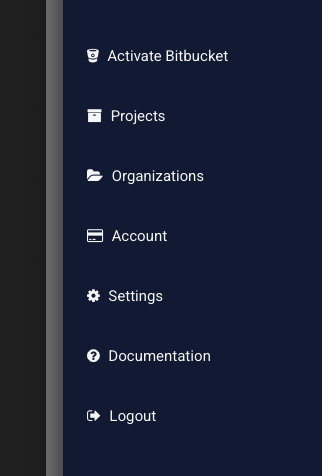
Open the hamburger menu in the top right and choose Account.
Billing in Probo.CI belongs to an organization rather than to you personally, so if you administer more than one organization we will ask which account you want to open. If you only administer one, we take you straight there. Either way there is a switcher at the top of every account page, so moving between organizations is one click rather than a trip back through the menu.
You will see the Account entry if you administer at least one organization.
Five tabs, each doing one job.
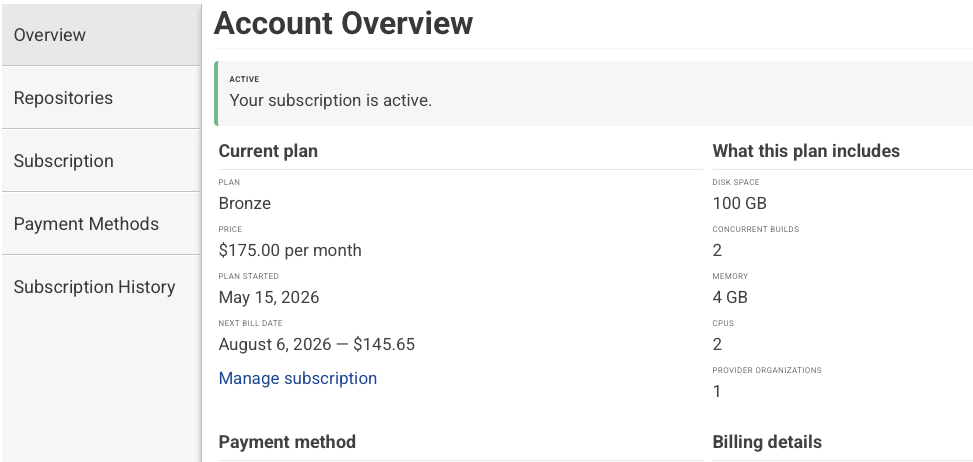
Every plan is listed with its allowances and your current one is marked. Pick another to switch to it. If you have not added a payment method yet, we take you to do that first and then finish the plan change for you rather than making you start over.
If your account carries extras beyond your plan’s standard allowance - additional disk space, concurrent builds, memory or CPU - they are itemized on the same tab, so what you are entitled to is written down rather than something you have to remember.
Promo codes go on this tab too. Apply one and the discount appears with its terms spelled out, whether it applies once, for a set number of months, or to every invoice from here on. You can remove it whenever you like.
Cancelling stops the renewal. Your plan stays fully active through the end of the period you have already paid for, and we show you that date before you confirm anything. If you change your mind before then, a single button resumes the subscription as though the cancellation never happened.
The reorganization is the visible change. This one matters more.
Every plan comes with a one month free trial and no credit card is required to start it. The question has always been what happens on the day that month runs out and no card has been added.
The old answer was not good enough. Your subscription rolled straight into a paid period whether or not we had any way to bill it. Come back a week or two later, add a card, and you would find an invoice waiting that covered time you never had access to. You paid a full month and got what was left of it.
That is fixed. A trial that ends without a payment method now simply pauses. Builds stop, nothing is charged, and your account sits and waits for you. When you come back and add a card, your billing starts from that day - not from the day your trial quietly expired. You are never billed for time your account spent paused.
Both the Overview and Subscription tabs show a clear notice if this happens, with a direct link to add a payment method and get moving again.
The subscription, payment plan and payment history tabs that used to live on the organization pages are gone. Everything they did now lives in the Account section, with more detail and fewer places to look.
Nothing about your data has moved or changed - only where you go to manage it.
While you have an active subscription, you cannot remove the payment method it bills to. If you are replacing a card, add the new one and make it the default first, then remove the old one. Probo will not let you leave a live subscription with nothing behind it.
This is a large change to a part of the portal people only visit when they need something specific, which is exactly when a confusing layout is least welcome. If something does not behave the way this describes, or you go looking for something and cannot find it, reach out at hello@probo.ci. We would rather hear about it.

Your first month is on us. When you sign up for a Probo.CI, every new account starts with a full month free on any of our plans. For more information on how to get started, click here.
LEARN MORE ABOUT PROBO.CI'S PRICING